Signal component-TRIG0 - trigger
Tutorial content
This tutorial introduces the usage of the Trigger component (TRIG0 - trigger) in the signal library.

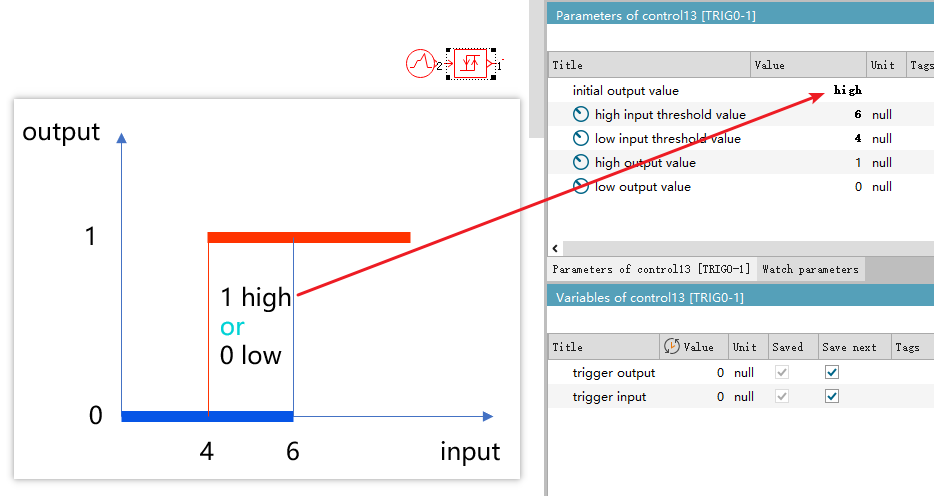
This model is used to solve a control problem, transforming and processing the input signal. For example, if the requirement is to control the temperature around 5 degrees Celsius, the input is the temperature signal, and the output represents the control signal.
- If the input is below 4 degrees, output 0, indicating heating.
- If the input is above 6 degrees, output 1, indicating to turn off the heating.
- But if the input temperature is 4.5 degrees, should the output be 0 or 1?

Let's build a model for simulation to have a look.
Model parameters
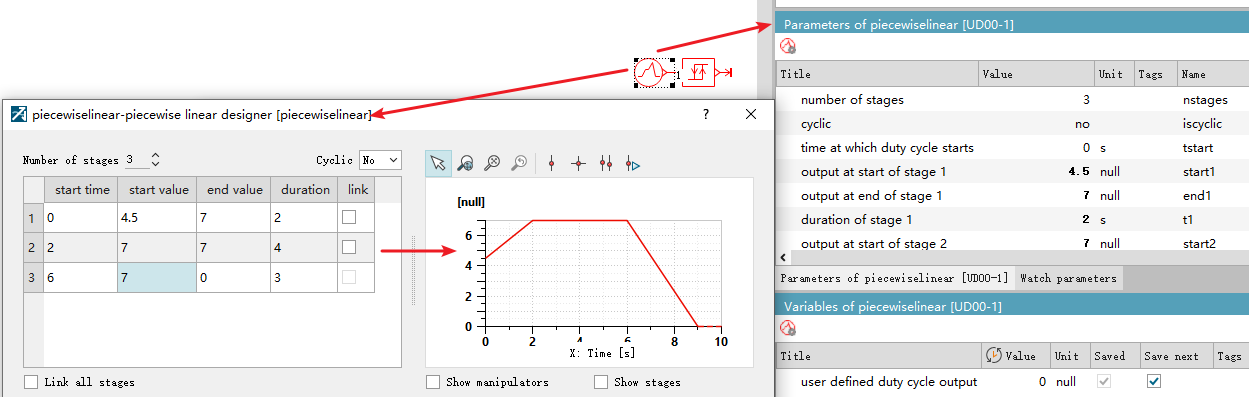
The input signal is a step function representing the input temperature:
- From 0s to 2s, the temperature rises from 4.5 to 7.
- From 2s to 6s, the temperature remains at 7.
- From 6s to 9s, the temperature drops to 0.
Simulation results
As can be seen from the figure, since the initial output value is set to high, when the initially input red line is at 4.5, the output blue line selects 1 to output between 0 and 1, that is, the value of the high output value. As the temperature rises above the high threshold (high input threshold value) of 6 degrees, the output blue signal line outputs 1, which is also the value of the high output value.
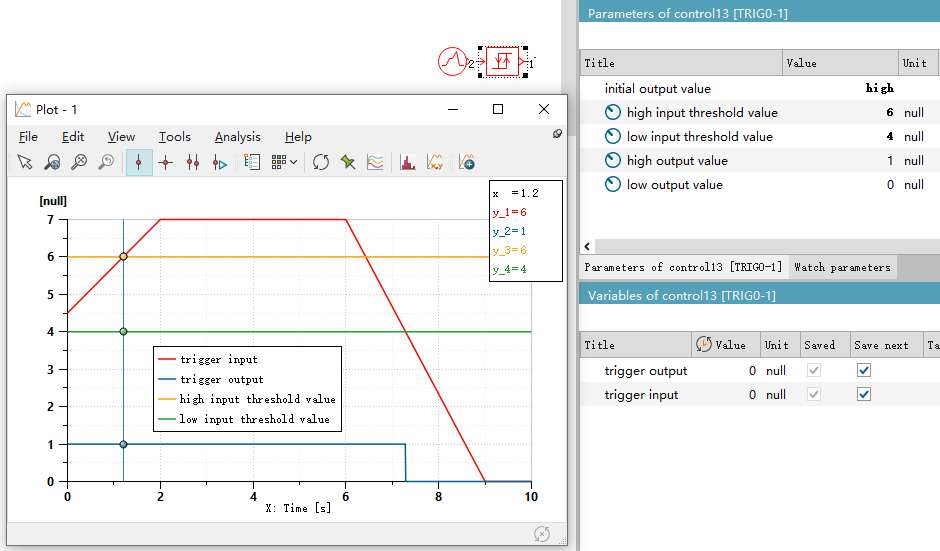
As the temperature starts to drop from 6s until it drops below the low input threshold value of 4 degrees, the output signal becomes 0.
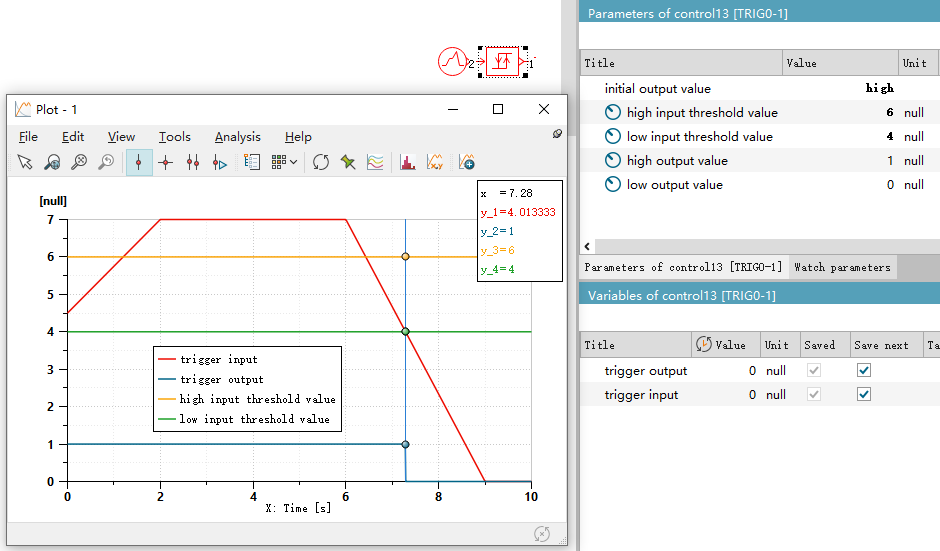
That is, it goes through a process as shown in the following figure.
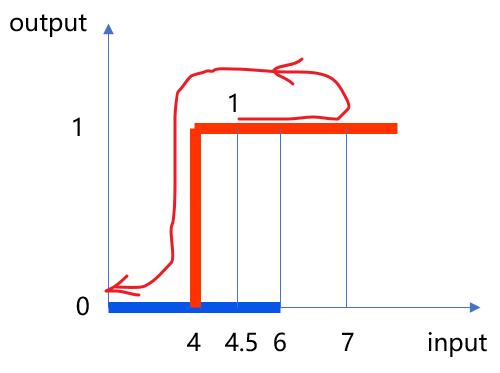
So, the function is quite clear. When the initial value is in the middle area,
- If the setting is high, output "high output value".
- If the setting is low, output "low output value".